Thursday, December 4, 2014
Friday, November 28, 2014
[Root] step by step Manual i8190 (N,L,T,I) Galaxy S3 Mini
RecoveryDownload Odin3 .
I made an Odin version for the official CWM.recovery-clockwork-touch-6.0.2.7-golden.tar.md5
Or maybe you prefer twrp-2.4.2.0-golden.tar from TWRP official site.
With your phone, download UPDATE-SuperSu-v1.10.zip to your sdcard. (Or to computer and transfer it to phone by yourself)
Open Odin as admin. Push [PDA] and select "recovery-clockwork-touch-6.0.2.7-golden.tar.md5" or "openrecovery-twrp-2.4.2.0-golden.tar"
Put your phone in download mode by pressing vol- / home / power at the same time, and connect it to computer.
When recognized by Odin push [START].
root!
Reboot your phone in recovery mode by pressing vol+ / home / power at the same time.
Keep pushing...If it boots normal ,Download this file
I8190.tar - Download - 4shared?
and flash it as PDA, then come back and continue here.
In CWM choose "install zip from sdcard" & "choose zip from sdcard" or "choose zip from external sdcard" Depends on where you saved UPDATE-SuperSu-v1.10.zip.
Browse to that zip-file and confirm with Yes.
Reboot and go to google play to install SuperSu.
You now got ROOT and CWM!
Only thing left is to wipe out that ugly custom binary count by go here and download Triangle Away, and give Chainfire a thank for both root and Triangle Away as well.
Dead boot repair done Samsung I9103 sucessfully wit free tool Tested by me
This tool can fix it by USB cable only so no need to disassemble the phone and no need to use JTAG boxes even.To use this tool you need to enter APX mode ( Volume Up key + Home Key ) then connect USB cable to Phone.
After you repair the dead phone it will be into Download Mode, So you can Flash it with Original Firmware.
update the driver manually goto device manager/APX drive right click nd show d path 2 update. driver is included n d zip file.
Then run the GT-I9103 windows batch file there type 1 and press enter nd it vil start d process.
after finish it vil go into odin download mode .use odin nd update using original stock firmware below given.
Download: Samsung I9103 Galaxy R Dead Phone Fix by USB
Firmware Download
Odin Download
Pit file Download


Samsung Galaxy S3 Neo GT-I9300I Dead Boot Repair
Samsung Galaxy S3 Neo GT-I9300I Dead Boot Repair
SamsungGalaxy S3 Neo GT-I9300I Dead Boot Repair
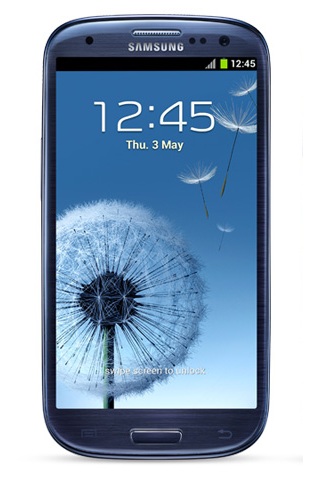
REQUIRMENTS
1) 16 GB SD card
2) Win32DiskImager
3) unbrick file
4) odin and stock firmware
Download Win32DiskImager
Download unbrick file
Download Odin
Download Stock Firmware
For 4 file repair firmware Search tis file I9300IXXUAND1_I9300IOJVAND1 in z3x support or HWK support
Procedure
1) install the Win32DiskImager
2) download and extract the debrick.zip u will find a debrick.img
3) insert sd card (16 GB class 4 or 10) and format it
4) open Win32DiskImager
5) open img file and write to sd card
6) after complete remove sd card from pc and insert it into your neo
7) insert back the battery and press vol down + home + power button
8) u will get into download mode
9) now remove your sd card from mobile
10) open odin and add your firmware and flash
i9300 and n7100 bootrepair Note 2 s3
https://mega.co.nz/#!Z893RbyQ!YJOOqh...OxcOJ9SPNmMwGwOriginal thread:
gt-n7100 bootrepair Note 2
Or
Samsung s3 i9300 & Note2 N7100 Dead boot solution & imei null solution s3
Samsung s3 i9300 & Note2 N7100 Dead boot repair solution & imei null solution only for i9300
Credits go to jamesjerss, original author of this post which been copied here from another forum
Procedure:
* Download samsung s3 boot card maker Here
* Extract it on desktop
* Take a card reader insert memory card into the card reader nd connect it to the pc
* From the extracted folder run Diskdump2.exe
* Select generic storage Device. pictures below follw it
Credits go to jamesjerss, original author of this post which been copied here from another forum
Procedure:
* Download samsung s3 boot card maker Here
* Extract it on desktop
* Take a card reader insert memory card into the card reader nd connect it to the pc
* From the extracted folder run Diskdump2.exe
* Select generic storage Device. pictures below follw it

* Now to write the scripts folle the below given picr

Now done yu are succesfully created Dead boot memorycard
To continue further
Requerments:
* Z3X samsung Box or SPT Box (i used z3x)
* special UART Cable (300k or 500k uartcable)
* Download teraterm-4.78 From Here
* Fully charged battery
Dead boot Reapairing procedure
* Download nd extract teraterm-4.78 on desktop
* From extracted folder run ttermpro.exe there select serial port nd change the serial port to z3x serial
port lik below givin in the picr

*After Select The Serial Port Press Ok Button den Go To Setup Click Serial Port Option
Select Baud Rate 115200 Then Press Ok Button lik below givn in the picr


* Now insert the created boot card to the mobile
* Connect the Uart cable via z3x box
* Now Insert the battery nd wait for 5min if the procces didnt start discnnt the mobile close ttermpro agin try it.
* if it run success yu vil the result below given lik this.
Quote:
Code:
pit_check_integrity: invalid pit.(0x0)
pit_check_integrity: invalid pit.(0x0)
update_guid_partition_table: There is no pit binary.
fsd_reclaim 1283: MST is not recognized(mst.magic=0x0)
fsd_reclaim 1284: MST is not recognized
fsd_reclaim 1599: Error(nErr=0x0)
fsd_reclaim 1604: j4fs_rw_start is set to default value(128KB)
j4fs_open 153: Error(nErr=0x40000000)
j4fs_read_file_bootloader 355: j4fs panic
load_j4fs_param: 'param.j4fs' does not exist, make new one..
j4fs_write_file_bootloader 184: j4fs panic
fail
j4fs_read_file_bootloader 355: j4fs panic
load_j4fs_param: debug level file does not exist..*INCORRECT!*
init_fuel_gauge: battery is not detected, do not init fuelgauge
init_microusb_ic: MUIC: CONTROL1:0x1b
init_microusb_ic: MUIC: CONTROL1:0x1b
init_microusb_ic: MUIC: CONTROL2:0x3b
init_microusb_ic: MUIC: CONTROL2:0x3a
PMIC_ID = 0x2
PMIC_IRQSRC = 0x0
PMIC_STATUS1 = 0x10
PMIC_STATUS2 = 0x0
PMIC_PWRON = 0x2
PMIC_IRQ1 = 0x27
PMIC_IRQ2 = 0x0
s5p_check_keypad: keypad value=0x0
s5p_check_reboot_mode: INFORM3 = 0 ... skip
s5p_check_upload: MAGIC CODE=d1b0f038
microusb_get_attached_device: STATUS1:0x3c, 2:0x0
s5p_check_download: update mode=0
j4fs_read_file_bootloader 355: j4fs panic
s5p_check_tzsw: invalid tzsw type! dummy?
scr_draw_image: draw 'download_error.jpg'...
j4fs_read_file_bootloader 355: j4fs panic
read_param_file: 'download_error.jpg' j4fs read failed!
fimd_div:13, div:1, FB_SOURCE_CLOCK:800000000, FB_PIXEL_CLOCK:57153600
a2, 60, 90,
* if yu get this error at the end [Patch Stop] This is not Rom Code. yu cant fix yur mobile yu have to change yur emmc chip
Quote:
Code:
TN default
<OK>
<OK>
[DVFS] INT(1) : 0
DRAM Type : LPDDR2 8G
[DVFS] MIF(3) : 0
[EPLL][VPLL][CLK_DIV] OK
<OK>
[LOCK SW/HW]ARM:0/0 INT:0/0 G3D:0/0 MIF:0/0 SHIFT:0/0
[DVFS] ARM(0) : 5
[DVFS] INT(1) : 0
[DVFS] G3D(2) : 0
[DVFS] MIF(3) : 0
[SD_INIT
SDMMC_HighSpeedONE]
SD_READ: 20000 20000 0x40008000 -> 668484 usec
<OK>
Inp32(uAddr) : 0xea00007e
FW Booting
[Patch Stop] This is not Rom Code.
* After done this yur mobile must me n download mode or white screen if white screen manually put into download mode.
* After dead boot repair mine white screen i manually put into download mode pir below

* Now update your mobile with factory firmware with PIT file lik below given n the picr.Factory firmware Download Here

* After update complete yur mobile may not have imei .imei null or yur mobile will not boot bcoz of dead boot repair. yur efs must be corrupted
* To Fix this prob first root yur mobile Download from here (flash it through odin select as odin)
* Now Download this EfS repair file nd flash it through odin select as odin yur mobile must boot
but the imei become lik this 004999010640000
I9300_Repair_efs.tar.rar

* if yur imei is null yu cant repair using this box so 1st yu have to repair the efs using above givn file. if yur imei bcome lik tis oly (004999010640000) yu can repair using z3x or othr samsung tool
* Now follw the picr to repair imei problem.


* After IMEI Repair


